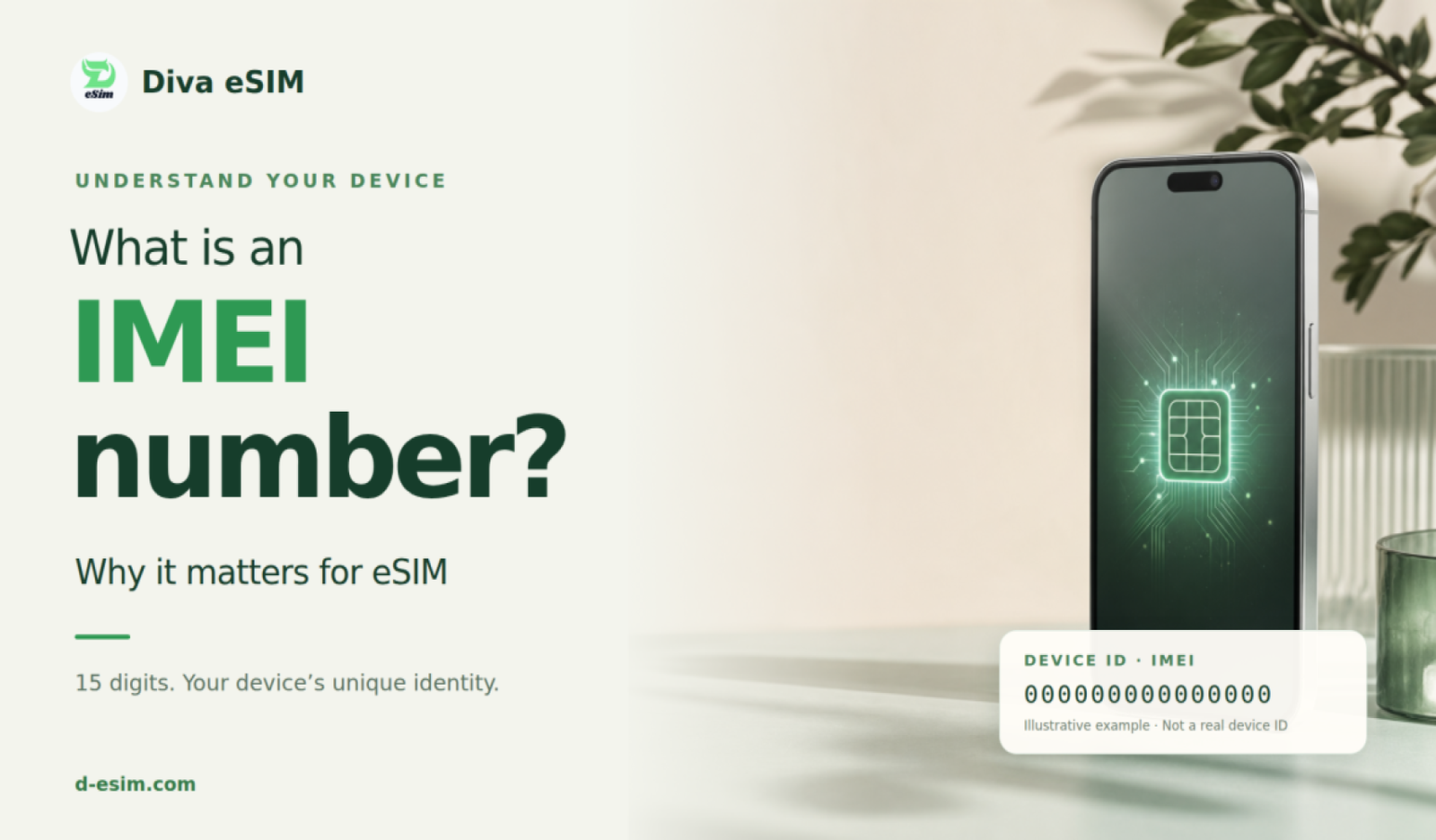
If you have ever checked whether a phone supports eSIM, contacted a mobile carrier, bought a used smartphone, or reported a lost device, you may have been asked for your IMEI number.
But what exactly is an IMEI number, what information can it reveal, and why does it matter when checking whether your phone supports eSIM?
An IMEI (International Mobile Equipment Identity) is a unique 15-digit identifier assigned to a mobile device. Mobile networks use it to identify the device connecting to their network. The GSMA describes the IMEI as the unique identifier associated with an individual mobile device.
Your IMEI can also help identify your phone model, check device status, investigate lost or stolen phones, and determine certain technical characteristics of your device.
Definition of IMEI Number
IMEI stands for International Mobile Equipment Identity. It is a 15-digit number tied to the phone hardware, not the SIM card. The same phone keeps the same IMEI even if you change plans, switch carriers, or reset the device.
The 15 digits are not random:
- The first 8 digits are the Type Allocation Code (TAC). They identify the brand and exact model.
- The next 6 digits are the serial number of your individual unit.
- The last digit is a check digit that catches typing mistakes.
A phone has one IMEI for each line. Many dual-SIM phones have two IMEI numbers, and so do phones that pair a physical SIM with an eSIM. Cellular tablets and smartwatches have an IMEI too. Wi-Fi-only devices do not.
Key Functions of IMEI
- Device identification: It gives each phone its own ID on the mobile network.
- Network security: Carriers can block phones that should not be on the network.
- Fraud prevention: It helps spot stolen or cloned devices.
- Device protection: It supports lost-phone blocking, police reports, and insurance claims.
- Phone checks: It helps buyers and sellers verify a device before a sale.
- eSIM compatibility: It shows the exact model, so you can confirm eSIM support before you buy a plan.
In other words, the IMEI number is more than a label. It is how carriers, makers, and buyers tell one phone from every other.
How to Find IMEI Number
The fastest way works on almost every phone. Open the phone app and dial *#06#. The IMEI appears on the screen right away, and no call is placed.
1. iPhone Specifics
On iPhone, open Settings, General, About and scroll down to the IMEI. Press and hold the number to copy it. An iPhone with eSIM usually shows a second IMEI and an EID on the same screen.
If you are wondering what is the IMEI number in iPhone, this is the number you want.
2. Android Specifics
On Android, open Settings, About phone or Settings, About device. On some phones you then tap Status or IMEI information. The IMEI is listed with other device details. Samsung phones with eSIM show an extra entry labeled IMEI (eSIM).
If you need an IMEI number for Android, the same short code, *#06#, works here too.
Universal Methods
You can also find the IMEI without turning the phone on. These places are useful if the phone is broken, lost, or stolen:
- The original box, on the barcode label.
- The SIM tray or the back of the phone, on many models.
- Your purchase receipt or carrier account.
- The device list in your Apple or Google account.
Why Does My Phone Have Two IMEI Numbers?
Seeing IMEI 1 and IMEI 2 is completely normal on many modern smartphones. Phones capable of using two mobile lines may have multiple IMEI identifiers.
For example, Google explains that compatible Pixel phones using physical SIM and eSIM can have two IMEI numbers. When configuring service, a carrier may request IMEI 1, IMEI 2, or the device's EID.
You may therefore see both IMEI 1 and IMEI 2 listed. Do not assume one of them is an error. For eSIM activation, the required IMEI can depend on the device and carrier.
IMEI vs EID: What Is the Difference?
IMEI and EID are often shown together, especially on eSIM-compatible smartphones, but they are not the same thing.
IMEI
The IMEI identifies the mobile device or cellular hardware.
Example: 356789101234567
EID
The EID identifies the embedded SIM hardware used for eSIM functionality. An EID is usually much longer than an IMEI.
Google notes that phones using eSIM require an EID in addition to their IMEI, and carriers may request these identifiers during eSIM setup.
A useful way to remember the difference is:
- IMEI = phone or device identity
- EID = embedded eSIM hardware identity
IMEI vs ICCID
Another number you may see is the ICCID. The ICCID identifies a specific SIM or eSIM profile rather than the phone itself.
Think of it like this:
- IMEI → Device
- EID → eSIM hardware
- ICCID → SIM or eSIM profile
Changing your SIM or installing a new travel eSIM can therefore change the ICCID while your device IMEI remains the same.
IMEI vs IMSI
The IMSI — International Mobile Subscriber Identity — identifies the mobile subscriber on the carrier network. It is normally stored as part of the SIM or eSIM subscription information.
In short, the IMEI identifies the device and the IMSI identifies the subscriber.
IMEI vs Serial Number
The IMEI and serial number are also different.
IMEI
Used primarily by cellular networks to identify cellular hardware.
Serial Number
Created by the manufacturer to identify a particular device for purposes such as:
- Warranty
- Repairs
- Technical support
- Inventory
- Manufacturing records
A phone can therefore have both an IMEI and a completely different serial number.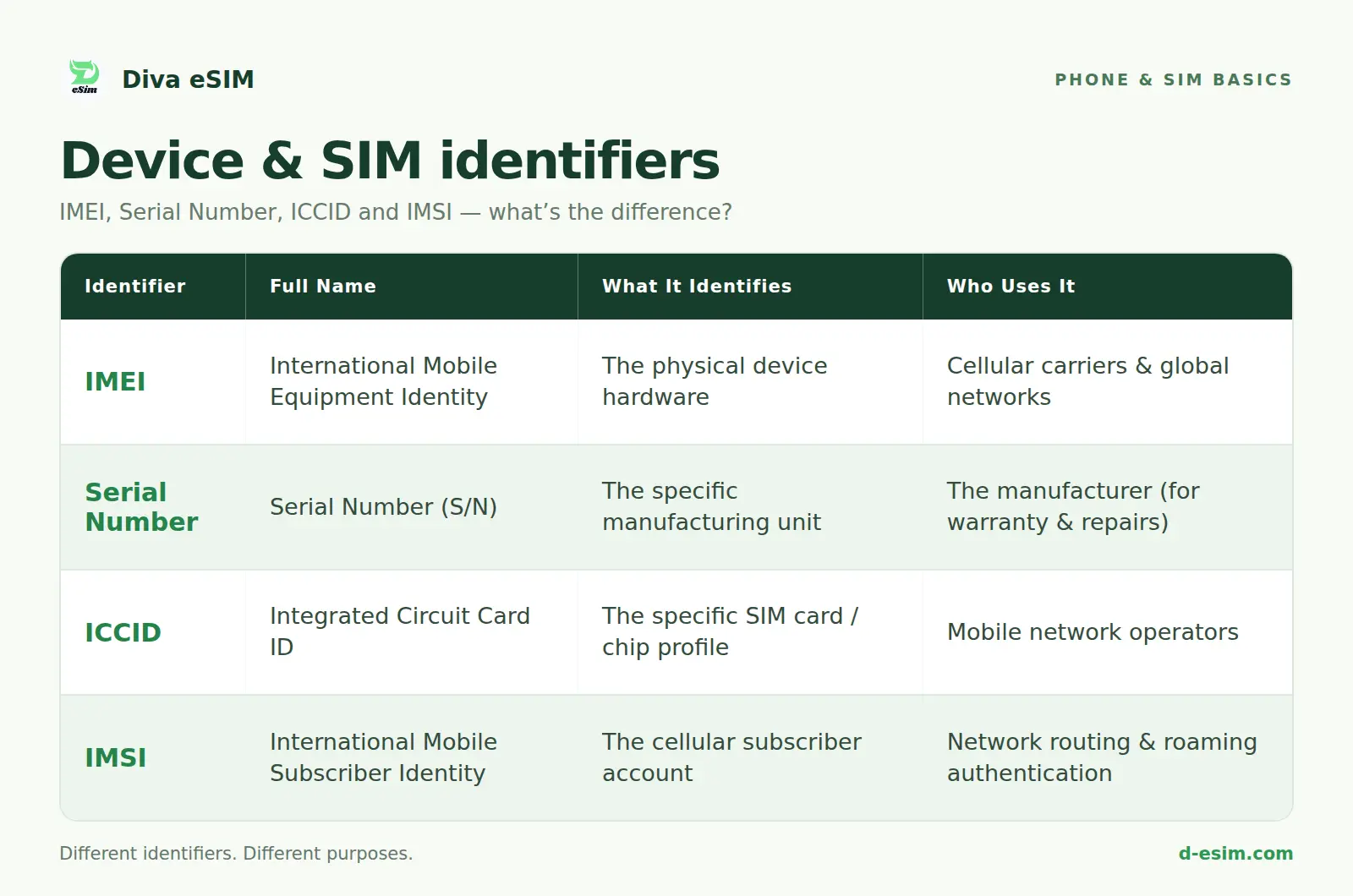
Frequently Asked Questions
It is used for device identification, network security, fraud checks, and lost-phone blocking. It also shows whether a phone should work with a carrier and whether it supports eSIM.
Comments (0)
Leave a comment