Quick answer: Only Apple Watch GPS + Cellular models have an eSIM, and it's built in, so you don't buy or install one. You add the watch to a cellular plan from your iPhone's carrier, which costs about $10 to $15 a month in the US. Your iPhone and Apple Watch must use the same carrier, unless the watch is set up for a child. Diva eSIM doesn't sell Apple Watch plans: our travel eSIMs go on your iPhone, and your watch uses that connection over Bluetooth or Wi-Fi.
Introduction
Every Apple Watch GPS + Cellular model runs on a built-in eSIM, so there is no SIM card to insert: you switch on service by adding the watch to a cellular plan from your iPhone's carrier. Once that plan is active, your watch can make calls, send messages, stream music and use Apple Pay with your iPhone left at home.
"iWatch" is simply the nickname many people use for Apple Watch; Apple has never sold a product by that name. Whatever you call it, the eSIM for Apple Watch works the same way, and this guide covers it in one place.
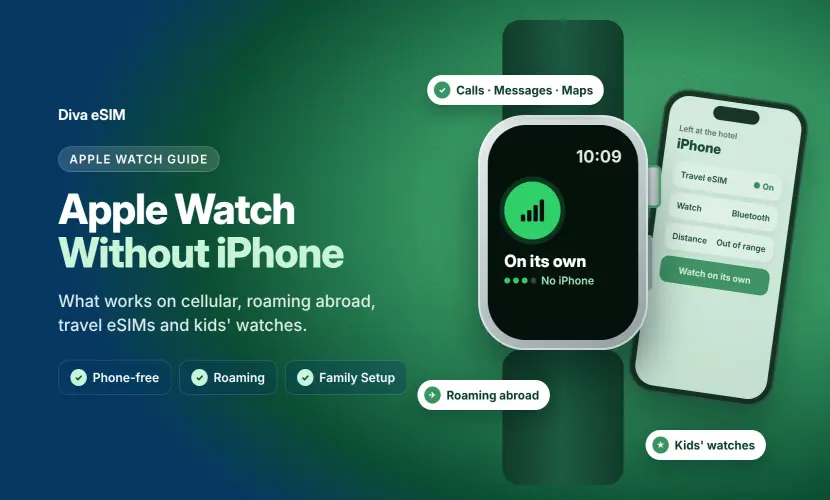
You'll learn which Apple Watch models have eSIM, what an Apple Watch cellular plan does and costs, which carriers in the US, UK and Canada support it, and how to set up, remove or transfer cellular step by step. Travelling abroad or setting up a watch for your child? That's covered in our separate guide, Can you use Apple Watch without an iPhone?
What is eSIM
An eSIM (embedded SIM) is a SIM chip built into your device instead of a plastic card you slide into a tray. It does the same job as a physical SIM: it identifies you to a mobile network so you can make calls and use data.
Overview of eSIM Technology
The difference is how the plan gets onto the device. With an eSIM, your carrier sends a digital profile over the internet, usually through a QR code, a carrier app or a setup screen, and the chip stores it.
- No physical card: nothing to lose, swap or damage, and no SIM tray that lets in water or dust.
- Remote activation: you can add, switch or remove a plan in minutes without visiting a store.
- Multiple profiles: phones like iPhone can store several eSIMs and switch between them, which is why travel eSIMs have become popular.
- Smaller hardware: removing the SIM slot frees space inside the device, which matters most on something as small as a watch.
That last point is why eSIM was a natural fit for Apple Watch. A watch case has no room for a SIM tray, so every Apple Watch with cellular has used an eSIM since the first cellular model in 2017. A watch eSIM is not a travel eSIM, though: Apple Watch only accepts a plan from a carrier that supports it, added through the Apple Watch app.
Apple Watch Models and eSIM Compatibility
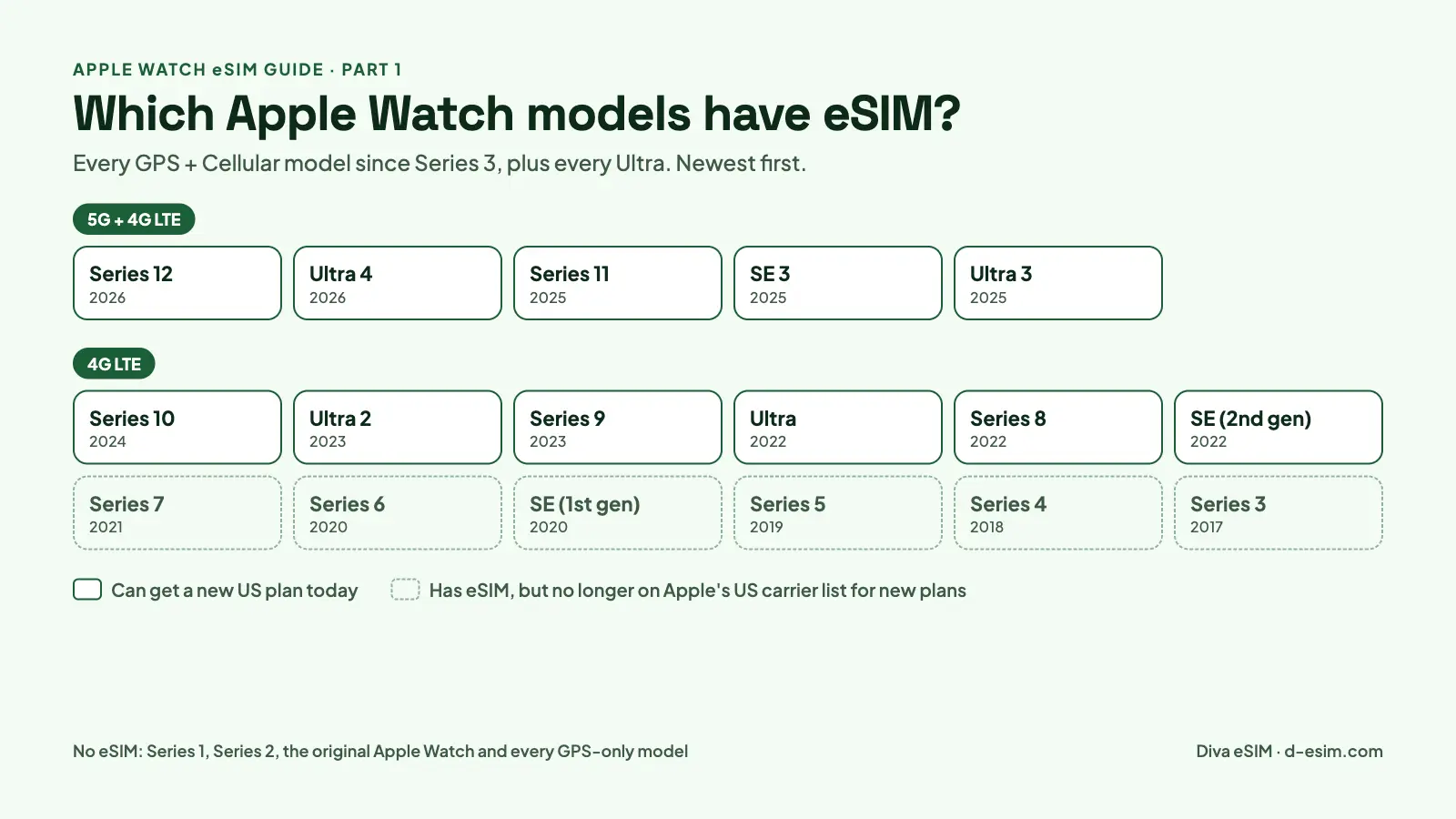
Every Apple Watch sold as "GPS + Cellular" has an eSIM, from Series 3 (2017) through the Series 12 and Ultra 4 launched in September 2026. GPS-only versions have no cellular radio at all, so they can never use an eSIM, even though they look almost identical.
That makes the GPS vs. GPS + Cellular choice the one that matters. Every Apple Watch Ultra is cellular, while Series and SE models come in both versions, and the cellular version costs about $50 to $100 more up front.
List of All the Models Supporting eSIM
The table lists every Apple Watch with a cellular (eSIM) version, newest first, with the North American model numbers sold in the United States. Model numbers come from Apple's Identify your Apple Watch page.
| Apple Watch model | Year released | US cellular model numbers | Cellular network |
|---|---|---|---|
| Apple Watch Series 12 | 2026 | A3582 (42mm), A3587 (46mm) | 5G and 4G LTE |
| Apple Watch Ultra 4 | 2026 | A3579 (49mm, all models cellular) | 5G and 4G LTE |
| Apple Watch Series 11 | 2025 | A3335 (42mm), A3337 (46mm) | 5G and 4G LTE |
| Apple Watch SE 3 | 2025 | A3326 (40mm), A3328 (44mm) | 5G and 4G LTE |
| Apple Watch Ultra 3 | 2025 | A3281 (49mm, all models cellular) | 5G and 4G LTE |
| Apple Watch Series 10 | 2024 | A3001 (42mm), A3003 (46mm) | 4G LTE |
| Apple Watch Ultra 2 | 2023 | A2986 (49mm, all models cellular) | 4G LTE |
| Apple Watch Series 9 | 2023 | A2982 (41mm), A2984 (45mm) | 4G LTE |
| Apple Watch Ultra | 2022 | A2622 (49mm, all models cellular) | 4G LTE |
| Apple Watch Series 8 | 2022 | A2772 (41mm), A2774 (45mm) | 4G LTE |
| Apple Watch SE (2nd generation) | 2022 | A2726 (40mm), A2727 (44mm) | 4G LTE |
| Apple Watch Series 7 | 2021 | A2475 (41mm), A2477 (45mm) | 4G LTE |
| Apple Watch Series 6 | 2020 | A2293 (40mm), A2294 (44mm) | 4G LTE |
| Apple Watch SE (1st generation) | 2020 | A2353 (40mm), A2354 (44mm) | 4G LTE |
| Apple Watch Series 5 | 2019 | A2094 (40mm), A2095 (44mm) | 4G LTE |
| Apple Watch Series 4 | 2018 | A1975 (40mm), A1976 (44mm) | 4G LTE |
| Apple Watch Series 3 | 2017 | A1860 (38mm), A1861 (42mm) | 4G LTE |
Apple Watch Series 2, Series 1 and the original Apple Watch have no cellular version, so they cannot use an eSIM. Nike, Hermès, titanium, stainless steel and ceramic editions use the same cellular model numbers as the standard model of their generation.
Having eSIM hardware is not the same as being able to get a new plan today. Apple's US carrier chart currently lists only Series 8, SE (2nd generation), Ultra and newer for new cellular service, so a Series 3 to Series 7 or first-generation SE may be refused by your carrier. Software matters too: watchOS 27 runs only on Series 9 and later, SE 3 and Ultra 2 and later, and the latest models get carrier features first.
How to Check if Your Apple Watch Has eSIM
- On your iPhone, open the Apple Watch app and tap the My Watch tab.
- Tap General, then About, and find the Model Number field.
- Tap the model number once so it changes to a number that starts with "A", then match it against the table above.
A quicker visual clue is the Digital Crown. Many cellular models have a coloured ring on the crown: red on Series 3 to Series 9, a ring matching the case on Series 10 and later and on SE 3, and orange on Ultra 2 and later. The model number is the sure way to check.
One more rule catches people out: cellular Apple Watches are made in regional versions. Apple lists models for the Americas, China mainland and Europe/Asia Pacific, and unlike iPhone there is no single Apple Watch that covers every band worldwide, so buy your watch in the region where you'll use its plan.
Apple Watch Cellular Plans: Carriers and Cost
An Apple Watch cellular plan lets a GPS + Cellular watch call, text, stream and navigate on its own, using the same phone number as your iPhone. In the US, adding a watch line costs about $10 to $15 a month plus taxes and fees on AT&T, Verizon and T-Mobile (November 2026). In the UK and Canada, prices vary by carrier, so check your carrier's Apple Watch page for the current monthly price.
Do you need a cellular plan? Only if you want the watch to work away from your iPhone. Without a plan, a GPS + Cellular watch works like a GPS model: it uses your iPhone over Bluetooth when it's nearby, or a known Wi-Fi network. You need a plan for calls, messages, maps and music when your phone is out of range, and for a watch set up for a child who doesn't have an iPhone.
Connectivity Features
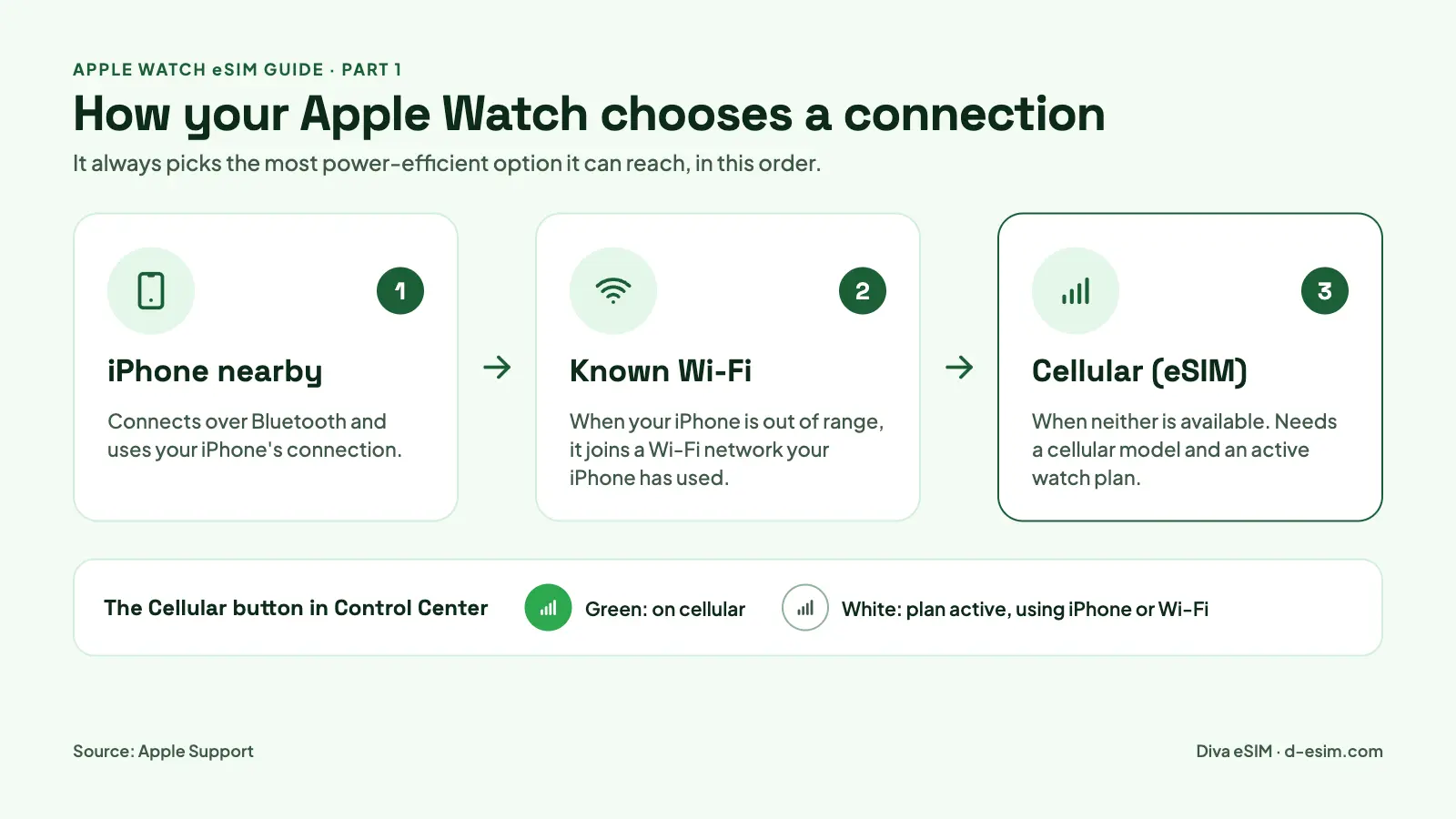
Your watch always picks the most power-efficient connection on its own. It uses your iPhone over Bluetooth when it's nearby, then a known Wi-Fi network, and connects to a cellular network only when neither is available (Apple Support).
- One phone number: calls and texts reach both devices. The separate number you may see in the Watch app is for your carrier's billing only.
- 5G or 4G LTE: Series 11 and later, SE 3 and Ultra 3 and later connect to 5G where your carrier offers it; older cellular models use 4G LTE.
- Connection status: in Control Center, a green Cellular button means you're on the cellular network, and a white one means the plan is active but the watch is using your iPhone or Wi-Fi.
- International roaming: supported on Series 5 and later, every SE and every Ultra running watchOS 9.1 or later, if your carrier supports roaming and VoLTE for the watch. Our guide to using Apple Watch without your iPhone, abroad and for kids explains what works abroad.
- Emergency SOS: press and hold the side button to call emergency services, including abroad on Series 5 and later, SE and Ultra cellular models.
- Data tracking: see how much data the watch uses in the Apple Watch app under My Watch, then Cellular.
Your iPhone and Apple Watch must use the same carrier. The exception is a watch set up with Apple Watch For Your Kids, which can use a different carrier from your iPhone (Apple Support, Set up cellular on Apple Watch). These US carriers currently offer Apple Watch cellular service, according to Apple's Apple Watch carrier chart:
| Carrier | 5G on Apple Watch | Apple Watch For Your Kids | Watch roaming on Apple's chart |
|---|---|---|---|
| AT&T | Yes | Yes | Yes |
| Verizon | Yes | Yes | Not listed |
| T-Mobile | Yes | Yes | Not listed |
| Xfinity Mobile | Yes | Yes | Not listed |
| Boost Mobile | Yes | Yes | Not listed |
| Spectrum Mobile | Yes | No | Not listed |
| Metro by T-Mobile | Yes | No | Not listed |
| Cricket Wireless | No | Yes | Yes |
| C Spire | No | Yes | Not listed |
| Cellcom | No | Yes | Not listed |
Visible, Consumer Cellular, Cox Mobile, GCI, Appalachian Wireless, Nex-Tech Wireless and RedPocket also support Apple Watch cellular, without 5G or kids' watches. Roaming coverage is set by each carrier, so confirm with yours before you travel.
Apple Watch eSIM in the UK and Canada. Apple's chart lists Three, EE, O2 and Vodafone in the UK, and Bell, Freedom, Koodo Mobile, Rogers, SaskTel, Telus, Videotron and Virgin Plus in Canada. No UK or Canadian carrier is marked for Apple Watch international roaming.
| Country | Carrier | 5G on Apple Watch | Apple Watch For Your Kids |
|---|---|---|---|
| UK | EE | Yes | Yes |
| UK | Three, O2, Vodafone | No | No |
| Canada | Telus | Yes | Yes |
| Canada | Bell, Rogers | No | Yes |
| Canada | Freedom, Koodo Mobile, SaskTel, Videotron, Virgin Plus | No | No |
A carrier that supports eSIM on iPhone doesn't automatically support Apple Watch, and some prepaid, corporate and older plans aren't eligible. Before you sign up, ask your carrier:
- Does my exact plan support Apple Watch, or do I need a separate watch line?
- What's the monthly charge, and is there an activation fee?
- Will the watch share my iPhone's phone number?
- Is 5G included for my watch model?
- Does the plan include Apple Watch international roaming?
Benefits of eSIM on Apple Watch
- Leave your phone at home: go for a run, swim laps or walk the dog and still take calls, reply to messages and stream music.
- Safety on your wrist: Emergency SOS and Fall Detection can reach help even when your iPhone is out of range.
- No SIM card to manage: activation happens in the Apple Watch app, and there's no tray to break the watch's water-resistant seal.
- Easy upgrades: moving your plan to a new Apple Watch starts in the same app, and some carriers let you transfer it there without a call.
- A watch for kids and older relatives: a family member without an iPhone can get their own number and plan, managed from your iPhone.
How to Set Up Cellular (Activate eSIM) on Apple Watch
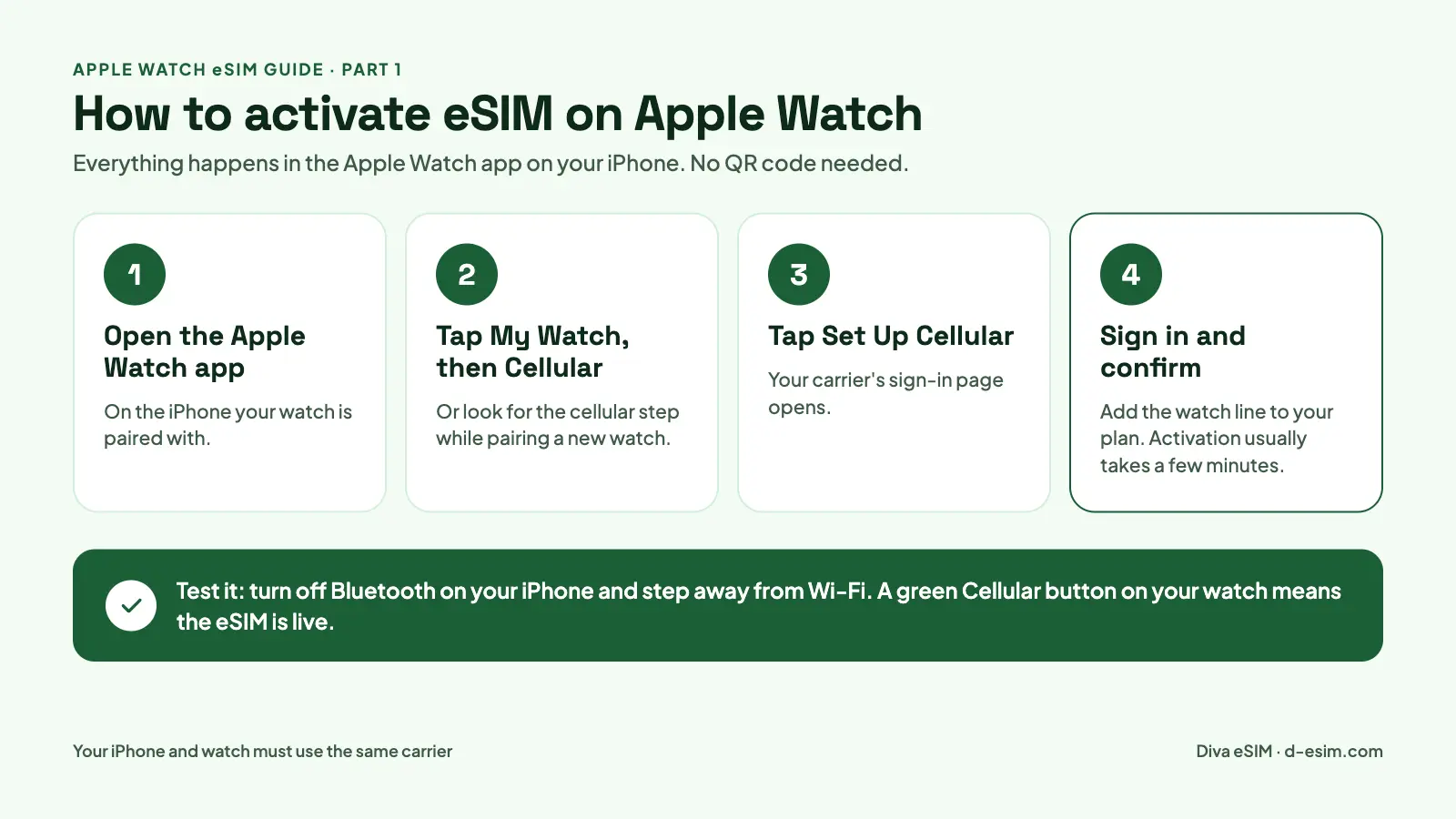
You set up cellular on Apple Watch from the Apple Watch app on your iPhone, either while pairing a new watch or any time afterwards. There's no QR code to scan: your carrier sends the eSIM profile to the watch once you add it to your plan. The steps below follow Apple's official guide, Set up cellular on Apple Watch.
Before You Start
- Your watch is a GPS + Cellular model (see the model table above).
- Your iPhone plan is with a carrier that supports Apple Watch, and the watch will use that same carrier. Some prepaid, corporate and older accounts aren't eligible, so check with your carrier.
- You're inside your carrier's network. You can't set up a watch plan while you're abroad.
- Your iPhone and Apple Watch run the latest iOS and watchOS. Watches on watchOS 27 pair with iPhone 11 or later, or iPhone SE (2nd generation) or later.
- Your carrier settings are up to date (iPhone Settings, then General, then About).
- Cellular data is turned on for Safari (Settings, then Cellular, then Show All), because carrier sign-in pages load in Safari.
Step-by-Step Activation Guide
Option 1: Set up cellular while pairing. When you pair a new Apple Watch, the setup screens include a step to set up cellular. Tap it and follow your carrier's prompts, which usually means signing in to your carrier account and confirming the watch line.
Option 2: Set up cellular after pairing. If you skipped cellular while pairing, add it at any time:
- On your iPhone, open the Apple Watch app.
- Tap the My Watch tab, then tap Cellular.
- Tap Set Up Cellular.
- Sign in to your carrier account and choose the watch plan or add-on.
- Wait for the confirmation screen. Activation usually takes a few minutes but can take longer at busy times.
Check that it works. Turn off Bluetooth on your iPhone, step away from known Wi-Fi, then press the side button on your watch to open Control Center. A green Cellular button with signal bars means your Apple Watch eSIM is live, so make a quick test call before you turn Bluetooth back on.
Common Issues During Activation
| Problem | What to do |
|---|---|
| "Set Up Cellular" is missing from the Watch app | Your watch is probably a GPS-only model; check its model number. If it is cellular, your carrier may not support your plan type. |
| Carrier page won't load or keeps spinning | Turn on cellular data for Safari, connect to Wi-Fi, and install any carrier settings update. |
| Activation fails or stays "pending" | Turn on Airplane Mode on both devices, wait 15 seconds, turn it off, then close and reopen the Apple Watch app. |
| Still failing after that | Restart your iPhone and Apple Watch, then try again. If it still fails, contact your carrier. |
| Carrier says your watch isn't supported | Older models (Series 3 to Series 7 and the first SE) are no longer on Apple's US carrier chart for new plans. |
| Your iPhone is on a different carrier | Your watch must use your iPhone's carrier. Only watches set up with Apple Watch For Your Kids can use another carrier. |
| The watch shows a different phone number | That's normal. The number is for carrier billing; calls and texts still use your iPhone number. |
| You switched iPhone carriers | In the Apple Watch app, open Cellular, remove the old plan, then tap Add a New Plan. |
| Plan or Status is blank on the watch's Cellular screen | The eSIM wasn't provisioned correctly; your carrier needs to resend it. |
| The watch shows No Service | Check your carrier's coverage where you are, restart the watch, then ask your carrier to check the plan. |
| Calls work, but SMS and app notifications don't arrive | Your paired iPhone is off or offline. Turn it on and connect it to Wi-Fi or cellular; it doesn't need to be nearby. |
| A travel eSIM QR code won't install on the watch | That's expected: Apple Watch only accepts carrier watch plans. Install the travel eSIM on your iPhone instead. |
How to Remove or Transfer an Apple Watch eSIM
You'll need to remove or move your watch's eSIM when you upgrade to a new Apple Watch, switch carriers, or sell an old watch. All of it happens in the Apple Watch app on your iPhone (Apple Support).
Remove an Apple Watch Cellular Plan
- On your iPhone, open the Apple Watch app.
- Tap the My Watch tab, then tap Cellular.
- Tap the information button next to your cellular plan.
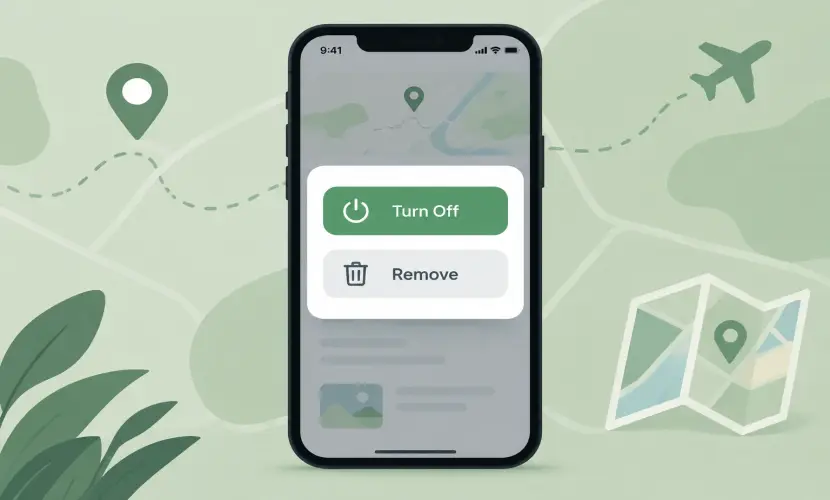
- Tap Remove [Carrier] Plan, then tap it again to confirm.
Removing the plan from the watch doesn't always cancel it, so contact your carrier if you want the monthly charge to stop; fees may apply. If you're selling or giving away the watch, unpair it and choose Erase All when asked, which removes the plan too.
Important: Don't remove a working plan as a troubleshooting step. Getting it back may take a call to your carrier, so try the fixes in the table above first.
Transfer Cellular Service to a New Apple Watch
- Remove the plan from your old watch, or choose Erase All when you unpair it.
- Pair your new Apple Watch with your iPhone.
- Tap Set Up Cellular when it appears during setup.
- If your carrier offers it, choose to transfer your existing plan. If not, add a new plan or contact your carrier.
Switching your iPhone to a new carrier? Your watch should follow automatically. If it doesn't, open Cellular in the Apple Watch app, tap Add a New Plan, then remove the old one.
Conclusion: Is Apple Watch eSIM Worth It?
eSIM is what turns an Apple Watch into a device you can wear without your iPhone. An Apple Watch cellular plan is worth it if you run, train or want to leave your phone behind: about $10 to $15 a month in the US buys calls, texts, music and emergency help from your wrist. If your iPhone is always in your pocket, a GPS-only watch does almost everything over Bluetooth, and you can skip the plan.
Before you buy or set up cellular, check three things: that your model is GPS + Cellular, that your carrier supports Apple Watch, and that your iPhone is on the same carrier.
Heading abroad? A watch plan only roams if your carrier supports it. The simpler option is a Diva eSIM travel plan on your iPhone, for example for Europe, Japan, Mexico or Turkey, which keeps your Apple Watch connected through your phone. Check your iPhone on our eSIM compatibility page, see how to install an eSIM on iPhone, and read Can you use Apple Watch without an iPhone? for roaming and kids' watches.
Frequently Asked Questions
Yes. "iWatch" is a popular nickname, but Apple has only ever sold the product as Apple Watch. Everything in this guide applies to any watch people call an iWatch.
Comments (0)
Leave a comment